Paying a phone or internet bill should take only a few minutes, but it can quickly become stressful. You may need to pay before the due date, restore a prepaid balance, or clear an eLife bill without remembering your login details. The worry becomes greater when the payment page rejects your card, no confirmation SMS arrives, or your bank deducts the money while the bill still appears unpaid.
- Is Etisalat Quick Pay Now e& Quick Pay?
- Use Verified Payment Channels
- Recharge Your Account
- Confirm the Account Number and Amount
- Payment Successful
- Etisalat Quick Pay Problems and Solutions
- Smart Ways to Pay Your Bills
- e& Business Quick Pay
- Frequently Asked Questions
- What is Etisalat Quick Pay?
- Is Etisalat Quick Pay now e& Quick Pay?
- Can I use Quick Pay without logging in?
- Can I recharge a prepaid mobile number online?
- What is the Etisalat recharge limit?
- Which cards are accepted by Etisalat Quick Pay?
- Can I use an international card?
- Can I make a partial bill payment?
- Will I receive a confirmation SMS?
- Where can I find the transaction ID?
- Can I pay another person’s bill?
- What should I do if money is deducted but no confirmation appears?
- Does Etisalat Quick Pay charge a service fee?
- Is Etisalat Quick Pay safe?
- Final Thoughts on Etisalat Quick Pay
The account-number step is another common problem. One incorrect digit can send a recharge or payment to the wrong account. Users may also be unsure whether they should enter a mobile number, eLife account number or business account number. When the transaction is urgent, it is easy to rush through these details and notice the mistake only after payment.
I also found the branding confusing while researching Etisalat Quick Pay. Many people still use the Etisalat name, while official consumer services now appear under e& UAE. Some working payment pages continue to use Etisalat web addresses while displaying e& branding. For a customer who only wants to pay a bill safely, this mix can make a genuine page look old or unfamiliar.
To prepare this guide, I reviewed the official payment-confirmation screen, successful-recharge screen, consumer recharge page, e& UAE app information and business billing instructions. My research showed that each official page explains only one part of the process. One page explains the payment limit, another shows the transaction ID, and another describes available recharge channels. Important answers are therefore spread across several pages.
This guide brings those confirmed details together in simple English. It explains how to find a verified payment channel, check the correct account information, understand card and recharge conditions, save proof of payment and respond carefully when a transaction does not update. It also clearly separates official e& information from general troubleshooting advice.
Information checked: July 15, 2026. Payment rules, recharge limits, accepted cards and promotional offers can change. Always review the conditions shown on the live official e& payment page before submitting a transaction.
Is Etisalat Quick Pay Now e& Quick Pay?

Etisalat Quick Pay is now presented under the e& UAE brand. However, many customers still recognise the Etisalat name, and some official payment pages continue to use an etisalat.ae web address.
Seeing an Etisalat address does not automatically mean that the page is outdated or unofficial. The supplied confirmation and success pages are live, show 2026 copyright information and use e& branding.
You may therefore see these terms used for the same UAE telecom provider:
- Etisalat Quick Pay
- e& Quick Pay
- Quick Pay & Recharge
- Etisalat by e&
- e& UAE
The safest approach is to open the payment service through the official e& UAE website rather than through an unknown message or advertisement.
Use Verified Payment Channels

Payment safety is important because fake payment links may look similar to genuine telecom pages.
e& advises customers to make payments only through verified channels. It states that it will not ask customers to transfer money to a personal bank account. It also warns users not to share an OTP for a request they did not start and not to open a link or download a file before checking that it is safe.
Before entering payment information:
- Open the service through the official e& website.
- Check that the connection uses HTTPS.
- Review the website address carefully.
- Do not pay through an unknown WhatsApp or SMS link.
- Never share your card PIN or CVV with another person.
- Only approve an OTP for a payment you started.
- Avoid making payments on a public or shared device.
- Never send an e& payment to a personal bank account.
A genuine-looking logo is not enough to prove that a page is official. Check the website address and payment request before continuing.
Recharge Your Account

The official e& recharge page lists several online options for paying bills and recharging accounts.
The page currently confirms:
| Service or need | Official option shown |
|---|---|
| View and pay a bill | e& UAE app |
| Pay an eLife bill without logging in | Quick Pay |
| Recharge a prepaid mobile account | e& website |
| Manage automatic payments | Autopay |
| Make a business payment without logging in | Business Quick Pay |
The supplied Quick Pay confirmation screen also says that the customer is about to “pay/recharge” one or more account numbers. However, it does not explain every supported consumer account type in detail.
Before starting a payment or recharge, prepare:
- The correct mobile, eLife or business account number
- The amount you want to pay
- An eligible payment card
- Access to the phone linked to the account, where available
- A secure internet connection
Access to the registered phone may help you receive and check the confirmation SMS, but the supplied pages do not state that it is required before every transaction.
Users who manage different prepaid cards or salary cards may also need to check their available balance before making an online payment. You can follow our Lulu Balance Check guide to learn how to verify your Lulu card balance through the available online and offline methods.
Bonus Credit
The official consumer recharge page currently advertises 15% free bonus credit on every online recharge. However, the e& UAE app page separately displays a 10% bonus valid for three days on online recharge. These different messages may relate to different channels, plans, conditions or promotional periods.
Do not treat either bonus as a permanent benefit.
Before recharging, check:
- Whether the promotion is still active
- Which recharge channel is eligible
- Whether your prepaid plan qualifies
- The minimum recharge amount, if any
- How the bonus can be used
- How long the bonus remains valid
The live offer terms should take priority over information shown in an older article or screenshot.
Recharge Online
The official recharge page presents the e& UAE app, Quick Pay and the e& website as online options.
Each channel is designed for a different need.
e& UAE App
The app is more suitable when you want to manage your account instead of making only one quick payment.
Official app information says users can:
- Pay bills for themselves and other people
- Use Autopay
- Recharge another account
- Check bills and usage
- View previous bills
- Manage account services
The app is therefore useful for regular customers who want more account controls.
The official app page confirms that users can pay bills for friends and family and recharge other accounts. The supplied Quick Pay pages do not clearly state that every Quick Pay account type supports the same feature.
Quick Pay
Quick Pay is intended for a faster payment process without entering a full account dashboard. The official recharge page specifically confirms that eLife bills can be paid through Quick Pay without logging in.
Once the live form has accepted the account details, the confirmation page asks the customer to check the account number and payment amount.
A careful payment journey is:
- Open Quick Pay through the official e& website.
- Enter the requested mobile or account number.
- Check the account details displayed by the live form.
- Enter or review the payment amount.
- Confirm the total amount.
- Review the card conditions shown at checkout.
- Complete the bank-security step, where required.
- Wait for the successful-payment screen.
- Save the transaction ID.
- Check for the confirmation SMS.
These steps describe the general journey shown across the supplied payment pages. The first input screen may vary depending on the service being paid.
e& Website
The official recharge page says prepaid mobile accounts can be recharged through the e& website.
This option may be suitable when you:
- Need prepaid credit
- Do not want to download the app
- Prefer to use a web browser
- Want to review a current recharge promotion
Always start from the official e& website rather than an unknown recharge service.
Confirm the Account Number and Amount
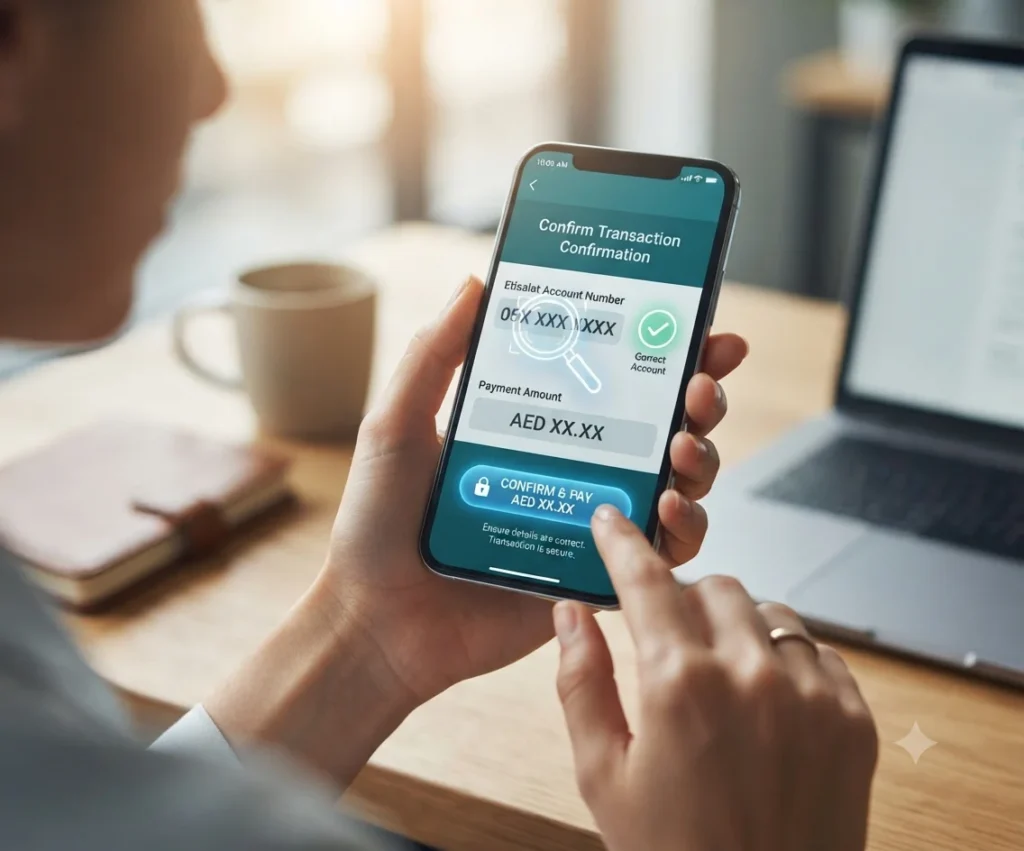
The confirmation screen is one of the most important parts of the payment process. It asks the customer to verify the account number and amount before continuing.
Check every detail before submitting the transaction:
- Compare every digit in the account or mobile number.
- Confirm that you selected the correct service.
- Review the payment or recharge amount.
- Make sure the amount is shown in UAE dirhams.
- Check that the page is an official payment channel.
- Confirm that you have not already completed the payment.
- Do not continue when the account details look unfamiliar.
When paying for another person through the e& UAE app, ask the recipient to send the number in writing. The app officially supports payments for friends and family, but you should still check the details carefully.
The official sources reviewed do not provide a complete guide explaining which identifier is used for every service. Use the identifier requested by the live form or shown on the official bill.
| Payment type | Identifier that may be requested |
|---|---|
| Prepaid recharge | Mobile number |
| Consumer mobile bill | Mobile or account number shown by the live form |
| eLife payment | eLife account information requested by Quick Pay |
| Business Quick Pay | Business account number |
| Smart payment machine | Party ID or B2B reference number |
Business Quick Pay officially uses an account number, while e& smart payment machines may use a Party ID or B2B reference number.
Total Amount
The supplied Quick Pay confirmation page currently states:
- The monthly bill-payment limit is the Total Amount Due
- The recharge limit is AED 300
- Only locally or GCC-issued credit cards are allowed in that payment flow
The page identifies the total amount due as the monthly bill-payment limit. It does not clearly explain whether a smaller partial payment is permitted.
Card eligibility may also depend on the payment channel. The consumer confirmation screen refers to locally or GCC-issued credit cards, while the business billing page separately lists debit cards, credit cards and online bank transfers.
Check the live checkout instead of assuming that a card accepted through one channel will also work through another.
Before confirming the total amount, check for:
- An extra zero
- A wrong decimal point
- An incorrect account
- A completed earlier transaction
- A recharge above the displayed limit
- Information left open from an earlier payment attempt
Payment Successful
A completed transaction should display a successful-payment message. The official success page says that e& has received the payment, shows a transaction ID and tells the customer that a confirmation SMS will arrive.
Before closing the page:
- Save the transaction ID.
- Check the displayed account number.
- Review the recharge amount.
- Check the current balance, where shown.
- Keep a private screenshot or written record.
- Look for the confirmation SMS.
Do not publish a screenshot containing your complete account or payment information.
Account No.
The successful-payment screen displays the account number connected with the transaction.
Compare it with the number you intended to pay.
When it does not match, keep:
- The transaction ID
- The account number shown
- The intended account number
- The amount
- The payment date and time
- The bank reference
Contact official e& support as soon as possible. The supplied pages do not publish a guaranteed wrong-number reversal or refund policy, so do not assume that every incorrect payment can be reversed.
Recharge Amount (AED)
The success screen displays the recharge amount in UAE dirhams.
Check that the amount matches what you entered. When a bonus offer applies, review the live promotion terms or account information to see how the eligible bonus is displayed.
Current Balance (AED)
The official success page may display the current balance after a recharge.
When the balance is not what you expected, first save the transaction details. Do not make another payment immediately when your bank has already deducted or reserved the amount.
Etisalat Quick Pay Problems and Solutions
The checks below are general editorial guidance, not an official e& transaction-resolution procedure.
| Problem | Practical checks |
|---|---|
| Payment page does not load | Reopen the service through the official e& website and use a trusted browser |
| Account information looks wrong | Stop and check the number before entering payment details |
| Card is declined | Recheck the card information and confirm card eligibility with the bank or live checkout |
| No successful-payment screen appears | Check whether the bank amount is pending or completed before trying again |
| No confirmation SMS arrives | Look for the transaction ID on the success screen and verify the account status |
| Recharge balance is not updated | Check the account number and transaction record before making another recharge |
| Money is deducted but the bill is unchanged | Keep the bank and transaction references and contact official support |
| The wrong account was paid | Save all evidence and report the transaction without promising or expecting an automatic reversal |
| Payment appears twice | Keep both references and report the possible duplicate transaction |
| Bonus credit is missing | Check the current promotion, channel and eligibility terms |
Money Deducted but Payment Not Updated
Use this order to reduce the risk of making a duplicate payment:
- Do not immediately submit the payment again.
- Check whether your bank shows the amount as pending or completed.
- Look for the e& successful-payment screen.
- Save the transaction ID, if one was provided.
- Check for the confirmation SMS.
- Review the bill or recharge balance.
- Contact official support when the transaction remains unresolved.
The supplied official pages do not state one guaranteed processing time for every payment channel.
What to Include When Reporting a Payment Problem
A clear report can help support staff understand the issue.
Include:
- Type of service
- Account or mobile number
- Payment amount
- Date and time
- Transaction ID, when available
- Bank reference
- Error message
- Whether the amount was deducted
- Whether the SMS arrived
- Whether the balance or bill changed
A simple description may look like this:
I made a payment of AED 150 for an account ending in 1234 on 15 July 2026 at 3:45 PM. My bank shows the transaction as completed, but I did not receive a confirmation SMS and the bill has not updated. My payment reference is TXN987654321.
Do not include your:
- Full card number
- CVV
- Card PIN
- Online-banking password
- OTP
- Full Emirates ID number in a public message
Smart Ways to Pay Your Bills
Quick Pay is one of several payment options. The best method depends on whether you need a fast one-time payment or complete account management.
Before using a bank card for an online recharge or bill payment, it can be helpful to confirm that enough funds are available. Customers using a FAB account or prepaid card can read our FAB Balance Check guide to find the available methods for checking their balance.
| Method | Best use |
|---|---|
| Quick Pay | An eligible one-time payment without a full login |
| e& UAE app | Bills, usage, recharge and account management |
| Autopay | Regular automatic bill payments |
| e& website | Prepaid online recharge |
| Business Online Portal | Managing and allocating several business-account payments |
| Online banking | Paying through a supported bank portal |
| Smart payment machine | Eligible card, cheque or cash payments |
| Exchange house | Supported business cash payments |
The consumer recharge page links to Quick Pay and Autopay, while the app page confirms bill payment, recharge and account-management functions.
e& Business Quick Pay
Business customers have separate billing options.
The official business page confirms that Quick Pay allows a business bill to be paid online with an account number without logging in. It describes the Business Online Portal as a service for managing accounts and allocating payments.
Flexible Payment Options
Official business payment options include:
- Quick Pay
- Business Online Portal
- Business Mobile App
- Debit or credit cards
- Online bank payment
- e& smart payment machines
- Cheque payments
- Cash payments
- Exchange-house payments
Business Online Portal
The Business Online Portal is more suitable than Quick Pay when a company needs to:
- Manage several accounts
- Allocate payments
- Update billing settings
- Register for eBill
- Change billing contact details
Other Channels
The Business Mobile App allows business users to manage accounts, track usage and pay bills. Online Bank Payment lets customers use their own banking portal. Smart payment machines support eligible cheque, card or cash payments using a Party ID or B2B reference number.
Register to eBill and Go Green With e&
Business customers can register for eBill through the Business Online Portal.
The official instructions say users can go to the ORDER menu and choose Change Billing Details under Manage Subscription. The same email can be used for several accounts, but only one billing-contact email can be registered for each account. When one email is linked to several accounts, the billing system sends one monthly email notification. eBills are normally sent between the first and fourth day of each month.
Detailed eBill management is better covered in a separate business-billing guide because it is not the main intent behind the consumer keyword “Etisalat Quick Pay.”
Frequently Asked Questions
What is Etisalat Quick Pay?
Etisalat Quick Pay is an online payment service now shown under e& UAE branding. The official pages use Quick Pay for no-login eLife bill payments and business-account payments. The confirmation screen also refers to paying or recharging account numbers.
Is Etisalat Quick Pay now e& Quick Pay?
Yes. Current official services use the e& UAE brand, although some official payment pages still use Etisalat web addresses and wording.
Can I use Quick Pay without logging in?
The official consumer recharge page confirms no-login Quick Pay for eLife bills. The business billing page also confirms that business users can pay with an account number without logging in. The supplied pages do not clearly explain the no-login rule for every consumer service.
Can I recharge a prepaid mobile number online?
Yes. The official e& recharge page says customers can recharge a prepaid mobile account through the e& website.
What is the Etisalat recharge limit?
The supplied Quick Pay confirmation page currently states a recharge limit of AED 300 for that payment flow. Check the live form because limits can change.
Which cards are accepted by Etisalat Quick Pay?
The supplied consumer confirmation page says only locally or GCC-issued credit cards are allowed in that flow. Other e& payment channels may have different card rules.
Can I use an international card?
The supplied consumer confirmation page only confirms locally or GCC-issued credit cards. It does not confirm general acceptance of cards issued outside the GCC.
Can I make a partial bill payment?
The confirmation page says the monthly bill-payment limit is the total amount due. It does not clearly explain whether smaller partial payments are permitted. Check the live payment form or official support.
Will I receive a confirmation SMS?
The official success page says a confirmation SMS will be sent after a successful transaction.
Where can I find the transaction ID?
The transaction ID appears on the successful-payment screen. Save it before closing the page.
Can I pay another person’s bill?
The e& UAE app officially supports bill payments for friends and family and allows users to recharge other accounts. The supplied Quick Pay pages do not clearly confirm this feature for every Quick Pay service.
What should I do if money is deducted but no confirmation appears?
Do not immediately repeat the payment. Check the bank status, look for the successful-payment screen, save any transaction reference and contact official support when the account remains unchanged. This is general troubleshooting advice rather than an official e& resolution process.
Does Etisalat Quick Pay charge a service fee?
The supplied pages do not clearly state whether every Quick Pay transaction is free. Review the total amount shown on the live confirmation screen before paying.
Is Etisalat Quick Pay safe?
It is safer when opened through a verified e& channel. e& warns customers not to send payments to personal bank accounts, share OTPs for requests they did not start or open suspicious links without checking them.
Final Thoughts on Etisalat Quick Pay
Etisalat Quick Pay can make an eligible one-time bill payment or recharge easier, especially when you do not want to sign in to a full account dashboard. However, the speed of the service can also encourage users to move too quickly. A payment that takes only a few minutes still requires careful checks because one incorrect number, an unsupported card or a repeated attempt can create a much larger problem.
From my review of the official confirmation screen, recharge information and successful-payment page, I found that the two most important stages happen immediately before and after payment. Before paying, the account number and total amount must be checked carefully. After paying, the transaction ID, account number, recharge amount and confirmation SMS become important proof that the transaction was received.
The most practical lesson from this research is to avoid treating a bank deduction as the only proof of a successful e& payment. The bank may show an amount as pending or completed, but the official success screen and transaction ID provide additional evidence. When no success message appears, making another immediate payment may create a duplicate transaction.
My recommendation is to open Quick Pay through the official e& website, verify every digit in the account number and review the final amount before entering card details. After payment, save the transaction ID and keep a private screenshot or written record. When money has already been deducted, check the bank status, confirmation SMS and account balance before trying again.
Quick Pay is best for a simple eligible payment without a full login. Based on the official features I reviewed, the e& UAE app is more useful when you need to view bills, manage services, recharge another account or pay for friends and family. Companies managing several accounts should use the Business Online Portal because it provides better payment-allocation and billing controls.
The official pages do not clearly answer every question about partial payments, service fees, processing times, international cards or wrong-number reversals. For this reason, users should avoid relying on assumptions or unofficial promises. The conditions shown on the live checkout page and guidance from official e& support should always take priority.
By using a verified channel, checking the account details twice and keeping clear proof of payment, you can use Etisalat Quick Pay with less confusion, lower risk and greater confidence.