TChecking a FAB balance sounds simple, but it can quickly become stressful. Salary day may have arrived, yet the balance has not changed. The SMS alert may be missing. The Magnati page may reject the Card ID, or different websites may tell you to enter two card digits in one place and four digits in another. For a worker waiting to pay rent, buy groceries, or send money home, even a small delay can create real worry.
- Quick FAB Balance Check Options
- What Does FAB Balance Check Mean?
- Simple Banking Terms You Should Know
- What Is a Ratibi Prepaid Card?
- How to Check FAB Ratibi Balance Online
- What Is a FAB Card ID?
- Is Magnati the Official FAB Balance-Enquiry Portal?
- How to Check Ratibi Balance Through Payit
- How to Check a Regular FAB Account Balance
- How to Check FAB Balance at an ATM
- FAB Salary SMS Alerts
- What to Do If Your FAB Salary Is Not Credited
- Common FAB Balance-Check Problems and Fixes
- FAB and Ratibi Customer-Support Numbers
- Lost, Blocked, Expired, or Retained Ratibi Cards
- Safety Tips for FAB Balance Check
- What to Do If You Used a Suspicious FAB Website
- FAB Balance Check From Outside the UAE
- Wages Protection System and Employer Support
- Benefits of Checking Your FAB Balance Regularly
- Frequently Asked Questions
- How do I complete a FAB Balance Check online?
- How do I check my FAB Ratibi balance?
- Does Magnati require two or four card digits?
- What is a FAB Card ID?
- Where can I find the Card ID?
- Is Magnati an official FAB portal?
- Can I check Ratibi balance through Payit?
- Can I check FAB balance without the app?
- Can I check FAB balance without internet?
- Can I check FAB balance without internet?
- Why is my FAB salary not credited?
- Does FAB offer salary SMS alerts?
- What is the Ratibi customer-care number?
- Can I check FAB balance from another country?
- What should I do if my Ratibi card is blocked?
- Is NBAD balance check now handled by FAB?
- Does FAB support WhatsApp balance checking?
- Final Thoughts
These are the same problems I found while researching FAB balance-check guides for UAE users. In my experience reviewing financial information, the biggest issue is not the lack of instructions. It is the amount of conflicting and unsafe advice online. Some pages mix Ratibi cards with regular FAB bank accounts, while others publish unconfirmed SMS commands or display forms that look like official banking pages.
To prepare this guide, I compared the official First Abu Dhabi Bank Ratibi information, the Magnati prepaid-card enquiry form, Payit instructions, FAB customer-support details, service information, and fraud warnings. Where third-party websites disagreed, I followed the current official source.
The main point is simple: the correct method depends on the product you have. Ratibi users should use the prepaid-card enquiry linked through FAB, while regular account holders should use FAB Mobile or Personal Online Banking.
For a FAB Ratibi balance check, enter the last four digits of the card number, the Card ID, and the CAPTCHA on the official Magnati enquiry page linked by FAB. Never enter your PIN, CVV, banking password, or OTP into a basic balance-check form.
Security notice: This website is not FAB, Magnati, or Payit and does not collect banking or card information. Complete your enquiry only through an official channel.
Last fact-checked: July 13, 2026. Banking portals, contact numbers, app features, and security procedures may change.
Quick FAB Balance Check Options
Choose the method that matches your card or account.
| What you have | Recommended method |
|---|---|
| Ratibi salary card | Magnati prepaid-card enquiry linked by FAB |
| Ratibi card linked to Payit | Payit mobile app |
| Other FAB prepaid card | Product-specific prepaid-card enquiry or support |
| FAB current or savings account | FAB Mobile or Personal Online Banking |
| FAB debit card | View the linked account through FAB Mobile |
| FAB credit card | View the card balance and transactions in FAB Mobile |
| No app access | ATM, customer support, or branch assistance |
| Salary not showing | Check the portal, then contact payroll before the bank |
FAB presents Ratibi as a prepaid salary card, while FAB Mobile is designed to manage regular accounts, debit cards, and credit cards.
What Does FAB Balance Check Mean?
The keyword can refer to several different tasks:
- Checking a Ratibi salary-card balance
- Confirming whether a salary was credited
- Checking another FAB prepaid card
- Viewing a current or savings account balance
- Checking a credit-card balance
- Reviewing recent transactions
- Finding help when a card or portal is not working
These products do not all use the same process. Ratibi is a prepaid payroll card and does not require the employee to open a normal bank account. FAB Mobile and Personal Online Banking are generally used for normal FAB accounts and cards.
If your salary is received through a LuLu salary or payroll card instead of a FAB Ratibi card, the balance-check process may be different. Read our LuLu Balance Check guide to learn how to check your available salary balance safely, choose the correct official method, and solve common card or portal problems.
Simple Banking Terms You Should Know
| Term | Simple meaning |
|---|---|
| Card ID | A separate detail used to identify a prepaid card |
| Card number | The long number printed on the payment card |
| PIN | The secret number used at an ATM |
| CAPTCHA | A code used to check that you are a real user |
| OTP | A one-time security code or approval request |
| CVV | The small security code printed on a card |
| WPS | The UAE system used to process and record salaries |
| ATM | A machine used to withdraw cash or access card services |
| CDM | A machine that can accept cash deposits |
Never confuse the Card ID with the ATM PIN, CVV, OTP, or online-banking password.
What Is a Ratibi Prepaid Card?
Ratibi is a FAB payroll solution for employees who earn up to AED 5,000. Eligible employees can receive salaries on the card without opening a bank account. FAB also states that Ratibi has no minimum-balance requirement or monthly cardholder charge.
FAB lists the following Ratibi benefits:
- Free SMS alerts when salary is credited
- Access to ATMs and CDMs
- In-store and online card payments
- Use through supported Visa or Mastercard networks
- 24-hour customer support
- WPS-compliant salary processing
- No normal bank account required
- Personal accident insurance, subject to official terms and limits
The employer plays an important role in the Ratibi system. FAB says the employer acts as the contact point between employees and the bank and is responsible for certain card and payroll requests.
How to Check FAB Ratibi Balance Online

The Magnati prepaid-card enquiry is the clearest official online method for checking a Ratibi card balance.
Follow these steps:
- Open FAB’s official Ratibi page.
- Find the Ratibi Prepaid Card Balance Enquiry option.
- Open the linked Magnati enquiry page.
- Enter the last four digits of the card number.
- Enter the Card ID.
- Complete the CAPTCHA.
- Select Go.
FAB’s official Ratibi page links existing cardholders to the Magnati prepaid-card enquiry form. The form visibly asks for the last four card digits, Card ID, and CAPTCHA.
Does the Portal Need Two or Four Card Digits?
The Magnati prepaid-card enquiry form asks for the last four digits of the card number.
Do not enter only two digits on the Magnati balance-enquiry form. Some third-party guides give two-digit instructions, but those instructions may relate to a different service, such as Payit registration, or may simply be incorrect.
What Information Does Magnati Request?
The public Magnati enquiry form displays these fields:
- Last four digits of the card number
- Card ID
- CAPTCHA
- Go
- Exit
The public page does not display fields for:
- ATM PIN
- CVV
- Online-banking password
- Full card number
- OTP
Do not enter sensitive details when an unknown page asks for more information than the official enquiry form.
What Is a FAB Card ID?

The Card ID is a separate identification detail required by the Magnati prepaid-card enquiry form. It is not the same as your card number, PIN, CVV, or OTP.
Look for information clearly labelled Card ID on your card or the documents supplied with it. The public FAB and Magnati pages do not clearly confirm one fixed location or length for every Card ID.
When you cannot identify it:
- Check the original card documents.
- Ask your employer or payroll team.
- Contact Ratibi support.
- Do not enter random numbers repeatedly.
Is Magnati the Official FAB Balance-Enquiry Portal?

FAB’s official Ratibi page links its balance-enquiry option directly to the Magnati prepaid-card portal. This confirms that Magnati is the authorised route currently linked by FAB for Ratibi balance enquiries.
For better safety:
- Begin on FAB’s official website.
- Follow the Ratibi balance-enquiry link.
- Do not use a copied card form on an unknown blog.
- Avoid links sent through unsolicited messages or advertisements.
How to Check Ratibi Balance Through Payit
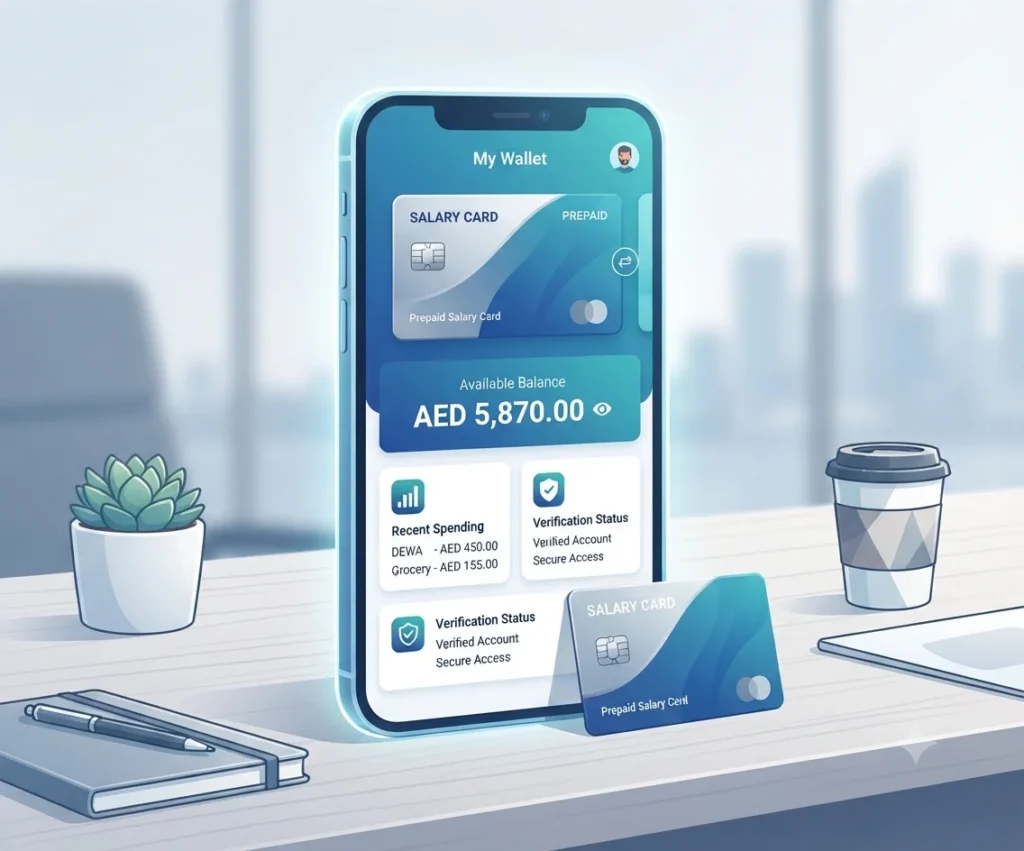
Payit is a mobile wallet powered by First Abu Dhabi Bank. Payit states that users can link an active Ratibi card, check its balance, and track spending through the app.
The general process is:
- Download the official Payit app.
- Choose the Ratibi Cardholder registration option.
- Scan your Emirates ID.
- Enter the requested personal information.
- Confirm your Ratibi card details.
- Complete the security and mobile verification steps.
- View the linked Ratibi card balance in the app.
Why Does Payit Ask for Two Digits?
Payit’s official registration FAQ says that Ratibi registration may ask for the Card ID and the last two digits of the card. This is different from the Magnati balance-enquiry form, which asks for the last four digits.
Use the number of digits shown by the official service you are using:
- Magnati enquiry: last four digits
- Payit registration: last two digits, according to Payit’s current FAQ
Do not mix the instructions from the two services.
How to Check a Regular FAB Account Balance
Regular FAB account holders should use FAB Mobile or Personal Online Banking instead of the Magnati Ratibi form.
FAB Mobile allows customers to manage their accounts, debit cards, and credit cards and check balances.
Check Through FAB Mobile
- Open the official FAB Mobile app.
- Log in using your registered details.
- Open the Accounts or Cards section.
- Select the account or card you want to check.
- View the balance.
- Open the transaction list when you need more details.
FAB states that its mobile app supports balance checking, payments, and management of accounts, debit cards, and credit cards.
For credit cards, FAB Mobile can display the card balance and recent transactions. Other payment and card-management information may also appear, depending on the current app version and product.
Check Through Personal Online Banking
- Open FAB’s official website.
- Choose Personal Online Banking.
- Check the website address carefully.
- Log in with your registered banking details.
- Complete the required security approval.
- Select the account or card.
- View the balance and transaction information.
Do not enter normal FAB online-banking credentials on the Magnati prepaid-card form.
How to Check FAB Balance at an ATM
A supported ATM can help when you do not have mobile internet.
The normal steps are:
- Insert the card.
- Select your language.
- Cover the keypad and enter the PIN.
- Choose Balance Enquiry when available.
- View the balance on screen or request a receipt.
- Remove the card and receipt.
FAB states that Ratibi provides access to ATMs and CDMs and can be used through supported ATM networks.
Read any fee notice on the ATM screen before confirming the enquiry. Charges can depend on the card, ATM operator, and location.
FAB Salary SMS Alerts
FAB confirms that Ratibi users receive free SMS alerts whenever salary is credited.
A salary-credit alert can help you know that money has reached the card. However, no SMS does not always mean the salary is missing. Possible reasons include:
- An old or incorrect registered phone number
- A delayed service message
- Blocked service messages
- A mobile-network issue
The official sources checked for this guide do not confirm a current text command for requesting a balance by SMS. Do not publish or use an unverified BAL command as an official method.
What to Do If Your FAB Salary Is Not Credited
Follow this order:
- Confirm your expected salary date.
- Check for a salary-credit SMS.
- Check the balance through Magnati or Payit.
- Ask payroll whether the salary file was submitted.
- Ask whether the file was accepted or rejected.
- Confirm that your employee and card details were correct.
- Contact Ratibi support after payroll confirms successful processing.
FAB says employers are the point of contact between employees and the bank under the Ratibi programme.
Possible Causes of a Salary Delay
A missing salary may be caused by:
- Employer submission delay
- Incorrect payroll information
- Rejected salary file
- Inactive or incorrect card information
- Weekend or public-holiday timing
- A technical problem
- A blocked or expired card
Do not assume that FAB caused the delay before the employer confirms the payroll status.
Common FAB Balance-Check Problems and Fixes
| Problem | Possible reason | Safe action |
|---|---|---|
| Invalid card details | Wrong four digits or Card ID | Recheck the card and documents |
| CAPTCHA rejected | Incorrect or expired code | Refresh it once and enter the new code |
| Magnati page not opening | Browser, network, or portal problem | Access it again through FAB’s official Ratibi page |
| Salary not showing | Payroll delay or rejected file | Contact the employer first |
| Payit cannot link the card | Wrong details or inactive card | Recheck registration details or contact Payit |
| FAB Mobile login fails | Incorrect PIN or app issue | Use Forgot PIN or contact FAB |
| ATM declines the card | Wrong PIN, blocked card, expiry, or ATM issue | Try a FAB ATM or contact support |
| Balance differs from expectation | Pending transaction or salary issue | Review transactions and contact support |
| Card ID is unclear | Wrong number being used | Check documents or contact payroll |
CAPTCHA Is Not Loading
Try these steps:
- Refresh the page once.
- Use another browser.
- Clear the browser cache.
- Turn off an aggressive content blocker.
- Switch between mobile data and private Wi-Fi.
- Try again later.
Avoid entering financial details over public Wi-Fi.
Is the FAB Balance Service Down?
FAB publishes a service-status page for services such as:
- FAB Mobile login
- Account balances and transaction history
- Credit-card balances and transactions
- Personal Online Banking
The status page does not provide a clearly separate live status row for the Magnati Ratibi balance form. If Magnati is not opening, return to FAB’s official Ratibi page and try its link again. Contact Ratibi support when the problem continues.
The FAB status page displayed a last-updated time of March 16, 2026 when fact-checked, so users should not assume it always reflects every portal in real time.
FAB and Ratibi Customer-Support Numbers
| Service | Inside the UAE | Outside the UAE |
|---|---|---|
| Ratibi support | 600 52 2298 | +971 2 499 6279 |
| General FAB support | 600 52 5500 | +971 2 681 1511 |
| Payit support | 600 54 3329 | +971 2 499 6411 |
These numbers are listed on FAB’s current contact page.
Use Ratibi support for:
- Ratibi balance problems
- Card-status questions
- Missing salary after payroll confirmation
- Blocked or expired Ratibi cards
- Magnati portal errors
- Card usage questions
Use general FAB support for normal FAB accounts, debit cards, credit cards, and FAB Mobile.
Never give a caller your PIN, CVV, password, or security approval.
Lost, Blocked, Expired, or Retained Ratibi Cards
Lost or Stolen Card
Contact Ratibi support and your employer as soon as possible. Do not wait until an unknown transaction appears.
Blocked Card
A card may be blocked because of incorrect PIN attempts, security action, expiry, or another card-status issue. Contact support instead of repeatedly trying the card.
Expired Card
Ask the employer or Ratibi support about the correct renewal or replacement process.
Card Retained by an ATM
FAB states that a Ratibi card confiscated by an ATM will be destroyed by the receiving bank and that the employer must apply for a replacement card.
A FAB branch may offer guidance after checking your identity, but some Ratibi requests must still be handled through your employer.
Safety Tips for FAB Balance Check
FAB warns customers never to disclose an OTP, PIN, CVV, or account and card information to another person. It also warns against downloading apps or granting remote access because of an unsolicited call or message.
| Official Magnati form requests | Never share with a stranger |
|---|---|
| Last four card digits | ATM PIN |
| Card ID | CVV |
| CAPTCHA | OTP |
| Online-banking password | |
| Remote screen access | |
| Unrequested UAE Pass approval |
Follow these rules:
- Start from FAB’s official website.
- Do not use a copied form on a third-party blog.
- Check the domain before entering card information.
- Never approve a transaction you did not start.
- Never install remote-access software for a caller.
- Never approve an unexpected UAE Pass request.
- Avoid banking through public Wi-Fi.
- Check transaction details before approving a payment.
- Contact FAB immediately when you notice suspicious activity.
What to Do If You Used a Suspicious FAB Website
Take action quickly:
- Close the suspicious page.
- Do not approve an OTP, in-app request, or UAE Pass request.
- Contact FAB or Ratibi support immediately.
- Check your recent transactions.
- Ask whether the card should be blocked.
- Change your online-banking PIN or password when relevant.
- Remove any remote-access app installed at a caller’s request.
- Contact your mobile operator if you suspect a SIM-swap problem.
FAB advises customers who believe they are fraud victims to contact its call centre and report the case.
FAB Balance Check From Outside the UAE
Ratibi users outside the UAE may use the Magnati online portal where it is accessible. They can also call Ratibi’s international support number:
+971 2 499 6279
Regular FAB account holders may access FAB Mobile abroad when they have Wi-Fi or roaming data and can complete the bank’s security process.
International call and mobile-data charges may apply.
Wages Protection System and Employer Support
FAB states that Ratibi supports salary payments that comply with UAE Wages Protection System guidelines. Employers can process WPS and approved non-WPS salary payments through the Ratibi programme.
Employers should check:
- Whether the payroll file was submitted
- Whether it passed the required checks
- Whether the employee’s details were correct
- Whether the Ratibi card was active
- Whether the payment was rejected
- Whether a replacement card is required
Employees should contact payroll first when the main problem is a missing or rejected salary payment.
Benefits of Checking Your FAB Balance Regularly
Regular balance checks can help you:
- Confirm that salary was credited
- Notice an unknown transaction quickly
- Avoid trying to withdraw more than the available balance
- Plan daily spending
- Confirm whether a refund or payment was completed
- Identify a blocked or inactive card sooner
Use official channels and avoid checking so frequently that you repeatedly enter details on unsafe pages.
Frequently Asked Questions
How do I complete a FAB Balance Check online?
Ratibi users should use the Magnati prepaid-card enquiry linked through FAB’s official Ratibi page. Regular FAB account holders should use FAB Mobile or Personal Online Banking.
How do I check my FAB Ratibi balance?
Enter the last four digits of the card number, Card ID, and CAPTCHA on the Magnati balance-enquiry form linked by FAB. Then select Go.
Does Magnati require two or four card digits?
Magnati requires the last four card digits. Payit registration may ask for the last two digits, according to Payit’s official FAQ.
What is a FAB Card ID?
It is a separate identification detail required for the prepaid-card enquiry. It is not your PIN, CVV, OTP, or full card number.
Where can I find the Card ID?
Look for information specifically marked Card ID on the card or original card documents. Contact your employer or Ratibi support when you cannot identify it.
Is Magnati an official FAB portal?
FAB’s official Ratibi page links its balance-enquiry option directly to Magnati. Access it through FAB rather than through an unknown third-party form.
Can I check Ratibi balance through Payit?
Yes. Payit says an active Ratibi card can be linked so users can check its balance and track spending.
Can I check FAB balance without the app?
Yes. Ratibi users can use Magnati, an ATM, or Ratibi support. Regular account holders can also use Personal Online Banking or an ATM.
Can I check FAB balance without internet?
Use a supported ATM, call customer support, or visit an official service point. Ratibi salary-credit SMS alerts can also notify users without mobile internet.
Can I check FAB balance without internet?
Use a supported ATM, call customer support, or visit an official service point. Ratibi salary-credit SMS alerts can also notify users without mobile internet.
Why is my FAB salary not credited?
The employer may not have submitted the salary file, the file may have been rejected, the card information may be incorrect, or processing may be delayed. Contact payroll first because FAB says employers act as the contact point for Ratibi employees.
Does FAB offer salary SMS alerts?
The public Magnati balance form asks for the last four card digits, Card ID, and CAPTCHA. It does not display an OTP field. Payit registration and other banking services may use separate security verification.
What is the Ratibi customer-care number?
Call 600 52 2298 inside the UAE or +971 2 499 6279 from outside the UAE.
Can I check FAB balance from another country?
Online services may be available abroad. Ratibi users can call the international support number, while normal FAB customers may use FAB Mobile with internet access and the required security checks.
What should I do if my Ratibi card is blocked?
Stop repeatedly entering the PIN. Contact Ratibi support and your employer to confirm the card status and replacement process.
Is NBAD balance check now handled by FAB?
NBAD no longer operates as a separate bank under that name. NBAD and First Gulf Bank merged, and the combined bank became First Abu Dhabi Bank. New FAB shares started trading on April 2, 2017.
Does FAB support WhatsApp balance checking?
The official sources reviewed for this guide do not confirm an official WhatsApp Ratibi balance-check service. Do not send card details to an unverified WhatsApp number.
Final Thoughts
After reviewing FAB’s official Ratibi information, the Magnati enquiry form, Payit guidance, customer-support pages, and fraud-prevention advice, I found that most FAB balance-check problems come from following instructions for the wrong product.
In my experience researching UAE banking guides, users are often given too many methods without being told which one actually applies to them. A Ratibi cardholder may try to use normal FAB Online Banking, while a regular account holder may open the prepaid-card portal. Users can also become confused because Magnati asks for the last four card digits, while Payit registration may ask for the last two.
From a financial-content and user-safety perspective, the best approach is to keep the process simple. Ratibi users should begin on FAB’s official Ratibi page and follow its link to Magnati. Regular FAB customers should use FAB Mobile or Personal Online Banking. If a salary has not appeared, check the balance and SMS alert first, then ask the employer or payroll team whether the salary file was submitted and accepted.
The research also showed that security must come before speed. A genuine balance enquiry should never require you to share your ATM PIN, CVV, online-banking password, or OTP with a caller or unknown website. Never approve an unexpected UAE Pass request, and never install a remote-access application for someone claiming to be from the bank.
Overall, the safest FAB Balance Check method is the one that matches your exact card or account type and begins through an official FAB, Magnati, or Payit channel. Correct information may save a few minutes, but careful verification can protect your entire salary.